Client & Vendor Portals
Frictionless share links, live crowd sync, and vendor privacy boundaries.
Client & Vendor Portals: Collaboration & Privacy Boundaries
One of GigState's most powerful architectural features is its frictionless three-role security model. By leveraging dedicated, secure share tokens (client_token and vendor_token), you can collaborate with clients and coordinate with event vendors without forcing anyone to sign up, create passwords, or download apps.
1. The Client Portal (/c/:client_token)
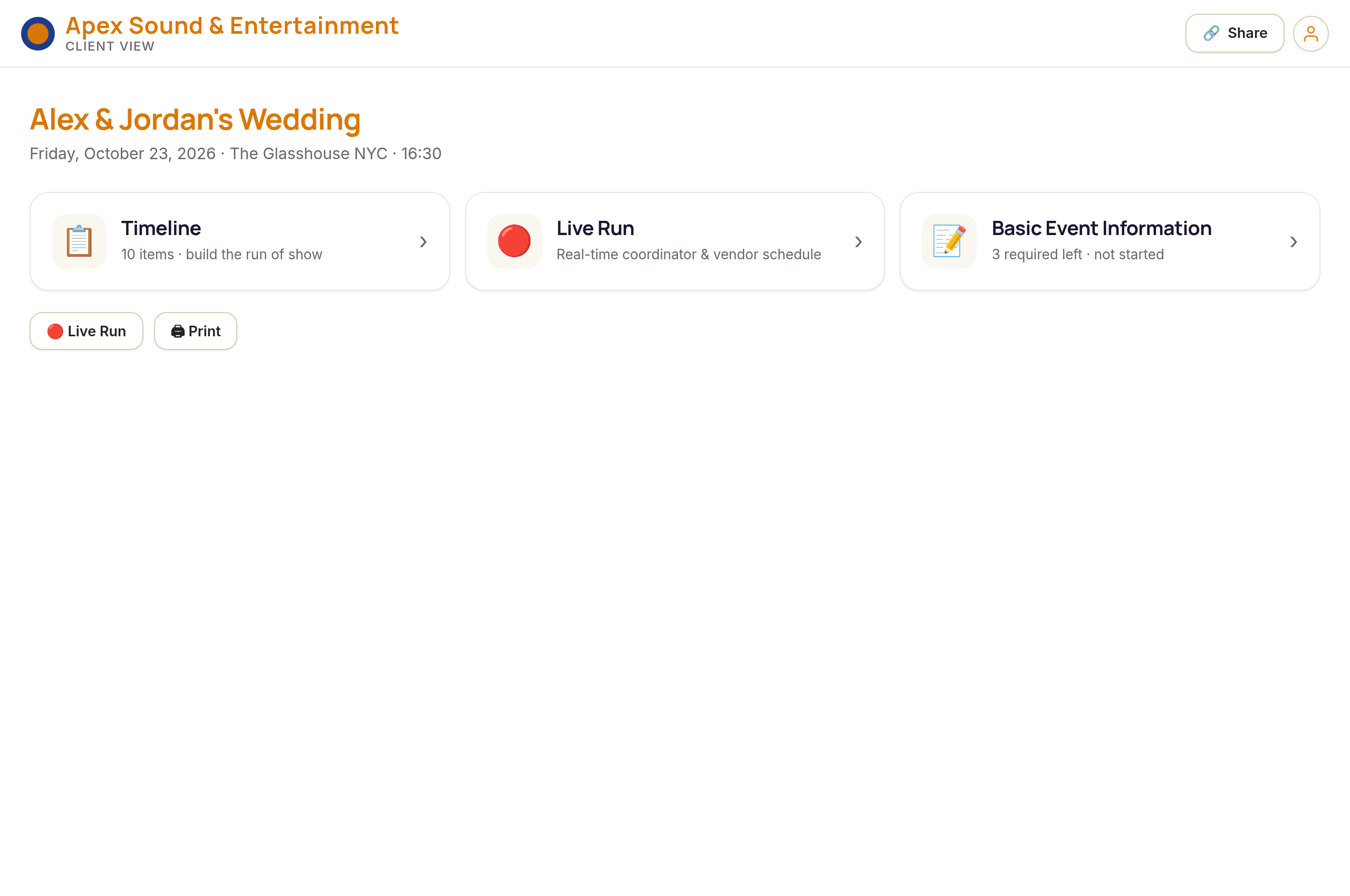
The Client Portal is the couple or event host's personalized planning workspace.
1.1 Frictionless Access
- Clients receive a simple link:
https://gigstate.app/c/<client_token>(or on your custom white-labeled domain). - Zero Barriers: Clients click the link on their phone, iPad, or computer and land directly on their event hub. No registration, forgotten passwords, or email verifications.
1.2 What Clients Can Do
- Collaborate on the Timeline: Clients can add new milestone items, adjust planned durations, add notes, and reorder events.
- Complete Questionnaires: Access and complete assigned planning forms (e.g., Reception Music Planning, Basic Event Logistics). Changes are saved automatically as they type.
- Submit Music Requests: Add Must-Play and Do-Not-Play tracks using the integrated iTunes song search.
- Live Sync Monitor (
/c/:client_token/live): On the day of the event, clients can open the Live Sync view to watch a real-time countdown clock and see what milestone is currently taking place.
1.3 Client Boundary: No Day Mode Access
Running the live show is the performing DJ's responsibility alone.
- If a client attempts to navigate to
/c/:client_token/day, the application automatically redirects them back to their Event Hub with a friendly notification: "Event Day Mode is reserved for the performing DJ."
2. The Vendor Portal (/v/:vendor_token)
Event vendors (wedding photographers, videographers, caterers, venue coordinators, and officiants) need accurate timeline information to coordinate their staff and equipment, but they should never see private client answers or internal DJ notes.
The Vendor Portal (/v/:vendor_token) is specifically engineered for this balance.
2.1 Read-Only Schedule
- Vendors can view the complete run of show, including start times, milestone names, and public logistics notes.
- Read-Only Lock: All edit buttons, drag handles, delete actions, and form fields are disabled (
Access.can_edit?(:vendor)returnsfalse). Vendors cannot accidentally alter your timeline.
2.2 Strict Privacy Protection
GigState enforces strict server-side privacy filtering for vendors:
- Private DJ Notes: Internal DJ equipment notes, sound cues, and private thoughts are completely stripped from the database payload before reaching the vendor's browser.
- Announcement Scripts: MC scripts are hidden from the vendor view.
- Planning Questionnaires: Questionnaire answers (bride/groom personal contact numbers, budget notes, song requests) are completely inaccessible to vendors.
- Vendor Print Sheets (
/v/:token/print): When a photographer or caterer clicks Print, the generated runsheet formats cleanly while omitting all private notes and client questionnaires.
2.3 Vendor Live Sync (/v/:vendor_token/live)
Catering managers and photographers love GigState's live sync view:
- Placing an iPad in the catering kitchen or photo staging area displays a live countdown to the next major transition (e.g., "Dinner Toasts in 14 minutes" or "Cake Cutting at 8:15 PM").
- Ensures the kitchen serves courses on time and the photographer is in position before the cake is cut.
3. Link Expiration & Security Lifecycle
3.1 Automatic Expiration Rule
Public share links automatically expire the day after the event date at 23:59:59 UTC.
- Prevents old event planning links from remaining permanently active online.
- Visiting an expired link displays a courteous completion screen (
/unavailable) stating that the event has ended.
3.2 Rescheduling & Revival
If an event is postponed or rescheduled to a new date:
- Simply update the event date in the Event Hub.
- Updating the date automatically extends and revives the validity of both the client and vendor share links.
3.3 Instant Token Revocation
If a share link was accidentally sent to the wrong recipient or you wish to revoke access:
- Open the Event Hub (
/events/:id) as the DJ. - Click Share in the navigation header.
- Next to the Client or Vendor link, click Revoke & Regenerate.
- GigState immediately invalidates the old token and generates a brand new one. Anyone attempting to access the old URL will be blocked instantly.