Song Requests & Digital Tipping
Permanent booth QR flyer, live iTunes search, PIN gating, and Venmo/CashApp tips.
Guest Song Requests & DJ Digital Tipping
Managing crowd song requests and collecting tips has traditionally been an awkward, chaotic part of DJing: drunken guests leaning over your decks, shouting over the music, spilling drinks, or tapping you on the shoulder during complex transitions.
GigState replaces this with an elegant, modern mobile portal that streamlines song requests, protects your booth, and puts digital tips directly into your account with zero platform fees.
1. Two Request Portals
GigState provides two distinct entry points for song requests, each optimized for different stages of an event:
| Portal Type | URL Pattern | Use Case & Behavior |
|---|---|---|
| Permanent Booth QR | /r/dj/:dj_token | Printed once on your acrylic booth sign or business cards; resolves dynamically to your active gig today based on your calendar. |
| Event-Specific Link | /r/:event_token | Unique to a single event; shared in advance on wedding websites, table tents, or digital invitations; expires the day after the gig. |
1.1 The Permanent Booth QR (/r/dj/:dj_token)
- Every DJ account has a permanent, unique booth token.
- You can print this QR code once and use it at every gig for the rest of your career!
- Dynamic Resolution: When a guest scans the QR code at 9:00 PM on a Saturday, GigState checks your calendar, locates your active gig for that day, and opens that event's request portal.
- Off-Duty State: If you do not have an active gig today or requests are toggled off, guests see a clean message indicating you are not currently accepting requests.
1.2 Printing Your Booth QR Stand (/settings/qr)
- Go to Settings (
/settings?tab=profile). - Click Print QR Sheet (or navigate to
/settings/qr). - This opens a high-resolution, print-optimized flyer featuring your personalized QR code, custom call-to-action text, and clear instructions for guests.
- Print and place inside an acrylic 5x7 or 8x10 stand on your DJ booth table.
2. The Guest Mobile Experience
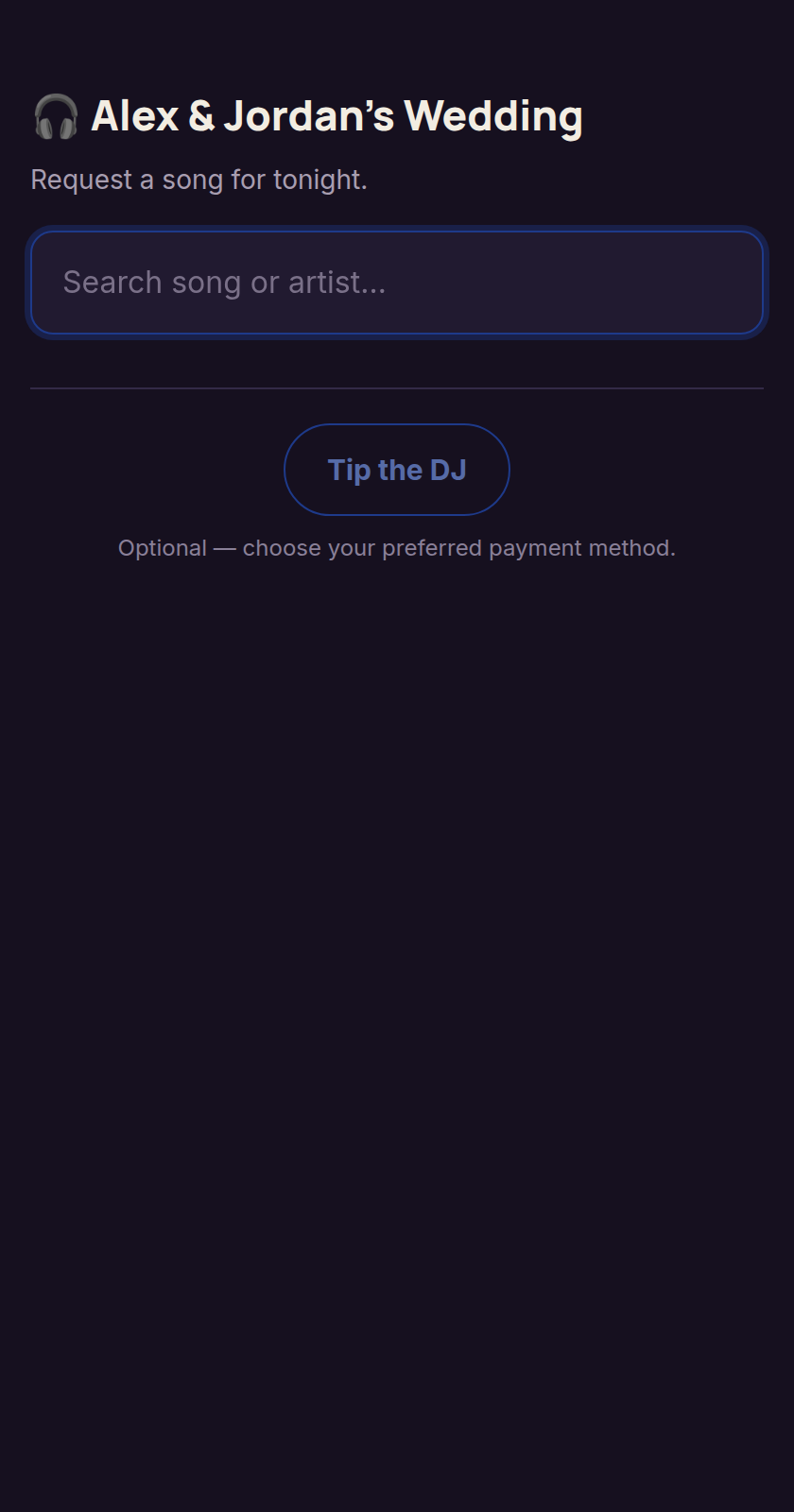
When a guest scans the QR code on their smartphone:
- Instant Access: No login, app download, or account registration required.
- Real-Time Music Search: As the guest types in the search bar, GigState queries the iTunes Search API in real time, displaying song titles, artist names, album art, and release years.
- Dedication & Guest Name: Guests can optionally enter their name and an accompanying message (e.g., "For Mom and Dad's 30th anniversary!").
- Submit Request: Tapping Submit instantly pushes the request into the DJ's live queue.
3. Anti-Abuse & Security Controls
To prevent queue spamming and inappropriate behavior:
Device Throttling & Hash Tracking
- GigState computes an anonymous device submitter hash for each guest browser.
- Guests are rate-limited to prevent rapid-fire submissions.
Optional 4-Digit Event PIN
- In the Event Hub or event settings, the DJ can enable a Request PIN (e.g.,
4219). - Guests who scan the link must enter the 4-digit PIN before accessing the search interface.
- Announce the PIN from the microphone or write it on your booth sign to ensure only people physically inside the venue can submit songs.
One-Tap Queue Pause
- If the dance floor is packed and your set is locked in, open the request sheet in Day Mode and tap Queue: Open.
- The indicator switches to Queue: Paused (Red). The guest portal immediately updates to state that requests are temporarily on hold.
4. Digital Tipping Integration
GigState includes direct integration with major digital payment services, allowing happy guests to tip you directly from their phones.
Setting Up Your Payment Links
Navigate to /settings?tab=profile and enter your payment details:
| Service | Format | Example |
|---|---|---|
| Venmo | Full URL or @username | https://venmo.com/DJ-James or @DJ-James |
| Cash App | Full URL or $cashtag | https://cash.app/$DJJames or $DJJames |
| PayPal | Full PayPal.Me URL | https://paypal.me/DJJames |
| Stripe | Stripe Payment Link | https://buy.stripe.com/abc123xyz |
How Tipping Works for Guests
- Prominent Tip Button: A persistent "Tip the DJ" button is displayed on the guest request portal.
- Post-Submission Prompt: After submitting a song request, a modal asks if the guest would like to send a tip to the DJ.
- Multi-Service Modal: If you configure multiple services (e.g., both Venmo and Cash App), guests can pick their preferred app.
- Direct App Handoff: Tapping a service automatically opens the respective app on the guest's phone with your username pre-filled.
- Zero Platform Commission: 100% of the tip goes directly from the guest to your personal account. GigState never takes a percentage.
5. Live Queue Triage in Day Mode
Incoming requests appear in real time in Day Mode on the DJ's phone or tablet:
- Non-Intrusive Toasts: When a request arrives, a notification pill appears at the top of the screen displaying the song title and artist. It has
pointer-events: noneand will never swallow taps on your timeline controls. - Peek Row: The bottom sheet displays the total pending request count and the illuminated green/red queue light.
- Swiping Gestures:
- Pull up the sheet.
- Swipe Right: Accepts the song and marks it as played.
- Swipe Left: Rejects the request.
- Duplicate Detection: If three different guests request "Mr. Brightside", the request card badges the count (
3 requests) rather than cluttering your screen with duplicate rows.