Event Day Mode Handbook
Offline PWA architecture, layout contract, runtime delays, and touch gestures.
Event Day Mode Handbook: Live Performance on Phone & Tablet
Event Day Mode (/events/:id/day) is GigState's live execution cockpit, purpose-built for the performing DJ. It is engineered specifically for one-handed operation in challenging live performance environments: dim lighting, loud sound, moving between tables with a microphone, and unstable or non-existent cellular connectivity.
1. Offline-First PWA Architecture
Day Mode functions as a progressive web application that operates independently of internet connectivity:
- Data-Free Shell (
/__day_shell): The service worker caches the HTML application shell, fonts, and assets under theDAY_CACHEkey. - IndexedDB (
gigstate-day): When an event is opened, its complete data snapshot (timeline items, schedule, client notes, scripts, and requests) is saved into local device storage. - Immediate First-Tap Response: Tapping "Complete" or "Delay" commits to local storage and updates the display immediately (0ms latency), queueing network operations in the background.
- Zero Internet Required: Once Day Mode is loaded in your browser or installed on your home screen, you can turn on Airplane Mode and run the entire reception without any internet connection.
- Sync Engine: When connectivity resumes, queued operations are transmitted to
/api/day/events/:id/opsand synchronized with the server's WebSocket channel (day:<id>).
2. The Defensive Touch Layout Contract
Day Mode defends screen real estate aggressively so critical information is never lost:
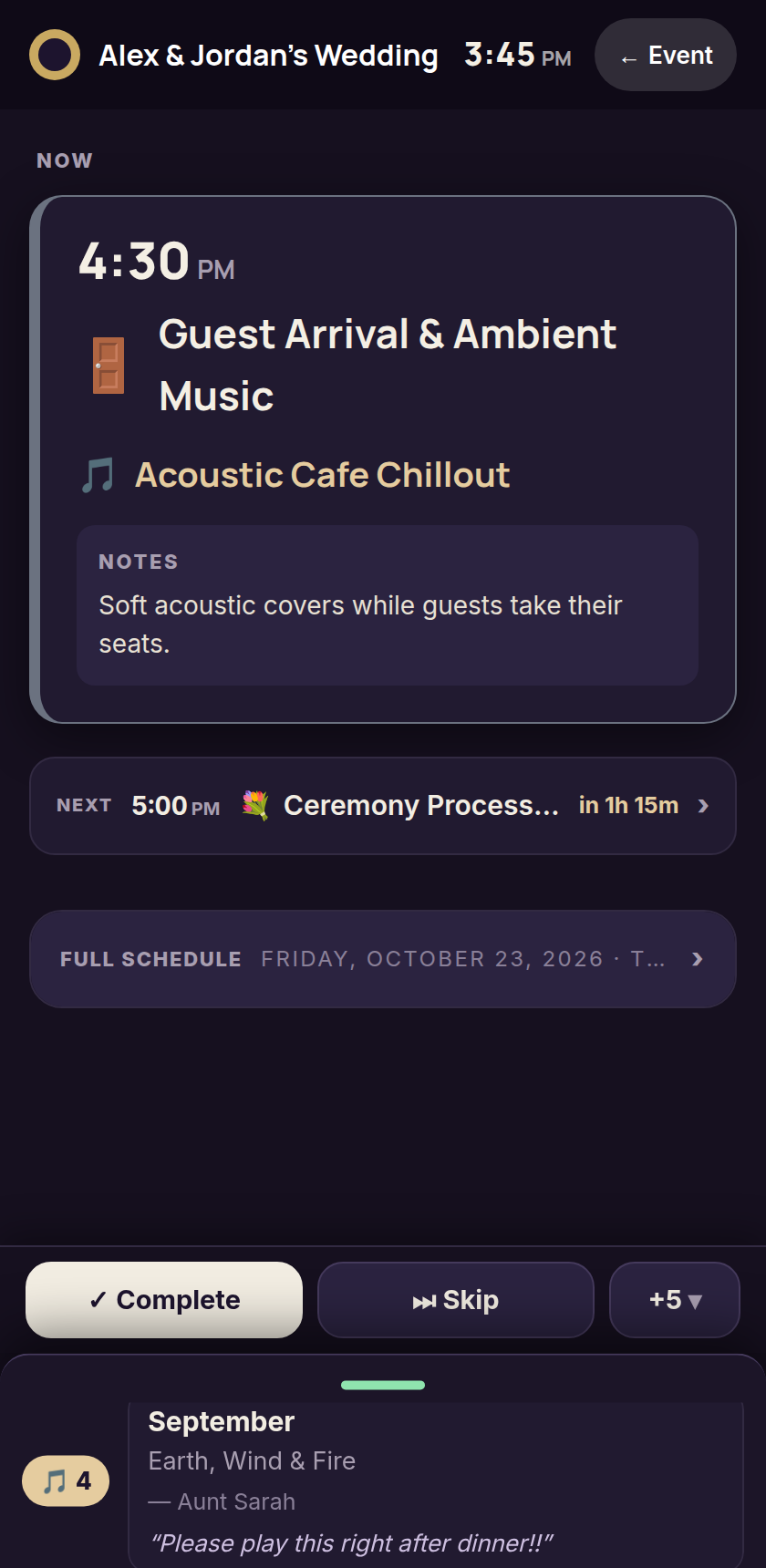
Layout Guarantees
- The Now Card is Never Pushed Offscreen: The action buttons reside in a fixed bottom container (
.day-actionbar), and the song request sheet floats above the interface. Nothing is rendered above<main>. - Dynamic Height Tiers: Using CSS viewport units (
dvhrather thanvh), Day Mode scales font sizes and spacing across three device tiers (<= 620px, standard, and>= 801px) so that the Now card and action bar fit on compact phone screens without scrolling. - Screen Wake Lock: Automatically requests continuous screen illumination via the Screen Wake Lock API to prevent the screen from dimming while you are speaking or queuing tracks.
3. Live Runtime Controls
Mark Complete (➔)
- Tapping Complete marks the current milestone finished.
- The view instantly transitions to the next item in sequence.
- Triggers a subtle tactile vibration pulse on supported devices.
Skip (⏭️)
- Bypasses the current milestone without marking it completed.
- Instantly advances the "Now" card to the subsequent item.
Runtime Delays (+5 / +10 / +15 min)
In live events, speeches run long, dinner is served late, or photographers request additional time.
- Tapping +5, +10, or +15 applies a cumulative delay offset (
delay_minutes). - Cascading Schedule: The projected start and end times of every future milestone immediately shift forward.
- Non-Destructive: The original planned durations remain unchanged. The delay offset can be increased, reduced, or cleared at any time.
4. Microphone Prompter View
When it is time to make an announcement, looking at tiny notes on a crumpled piece of paper is a recipe for mistakes.
- High-Contrast Typography: Announcement scripts render with high-contrast, scalable text on the Now card.
- Spoken-Name Clarity: Pronunciation notes and phonetic spellings entered in the timeline editor appear clearly highlighted.
- Distraction-Free: Irrelevant future milestones remain collapsed below, ensuring your eyes focus solely on the immediate announcement.
5. The Floating Song Request Sheet
The song request queue floats over the bottom of Day Mode:
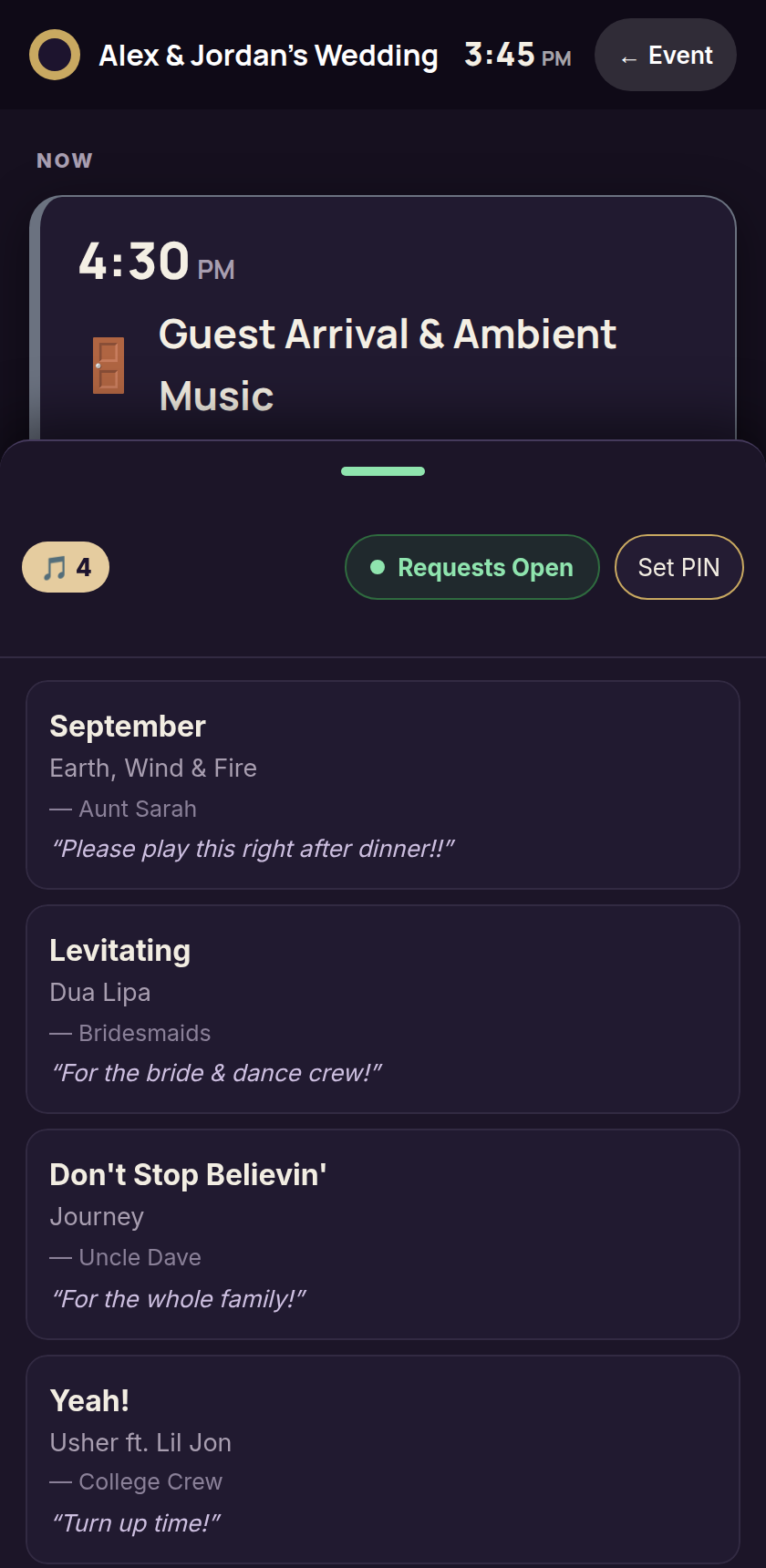
5.1 Physics & Touch Gestures
- 1:1 Finger Tracking: Sliding the drag handle moves the sheet along the vertical axis with 1:1 finger tracking (
transform: translateY). - Velocity Commit (
performance.now()): A quick, sharp upward flick immediately opens the sheet, regardless of how far your finger traveled. Slow drags commit based on the halfway threshold. - Axis Locking (
AXIS_LOCK_PX): Vertical drags move the sheet; horizontal swipes act on song cards. Axis locking ensures that an accidental diagonal gesture will never both drag the sheet and reject a song.
5.2 Touch Triage Gestures
- Swipe Right: Accept / Mark Song as Played (removes from active queue).
- Swipe Left: Reject Song (removes with rejection note).
- Pointer Fallback: On laptops or pointer devices, explicit ✓ and ✕ buttons appear.
- Screen Reader Accessibility: The action buttons are visually hidden on touch screens but remain fully accessible to screen readers.
5.3 Queue Management
- Grip Bar Status Light: The sheet's drag handle doubles as an illuminated status indicator:
- Green: Requests are Open and accepting submissions.
- Red: Queue is Closed or Paused.
- Single-Tap Toggle: Tap the status toggle on the peek row to pause or resume incoming requests.
- Arrival Toasts: When a new request arrives, a notification toast appears at the top of the screen. The toast has
pointer-events: none— it will never swallow or block your tap on "Complete" or "Delay".
6. Tablet Split-Rail Mode
When Day Mode is displayed on an iPad or tablet in landscape orientation (width >= 800px and height >= 700px):
- The floating request sheet docks into a permanent split-screen right-hand rail.
- The left column displays the complete timeline, Now card, and live action buttons.
- The right column provides a persistent, full-height view of the song request queue.
- Both width and height are strictly gated: landscape smartphones (e.g., 932x430) keep the floating sheet layout rather than an awkward cramped split.